

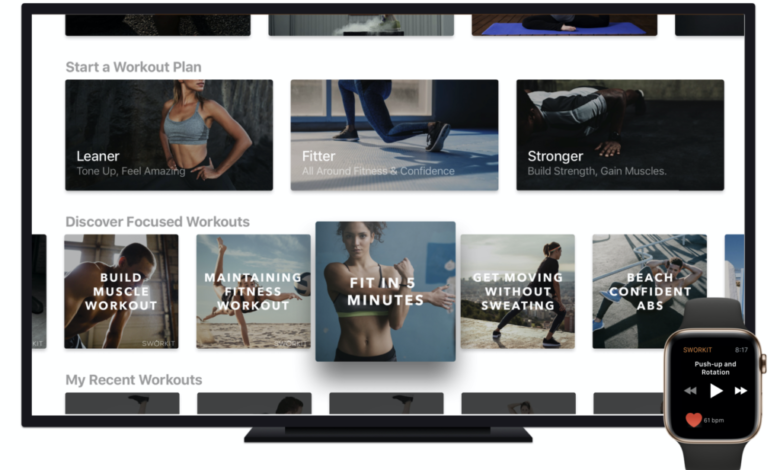
Walk into any modern gym today and you will notice something right away. Screens are no longer just background noise. They guide workouts, structure sessions, and keep everyone moving in sync. That shift did not happen by accident. It is powered by workout TV display software built specifically for multi screen scheduling and playback.
At its core, this technology replaces whiteboards, printed routines, and constant verbal instructions with something far more dynamic. Coaches gain control, members stay engaged, and the entire training environment feels more organized.
Let’s go deeper into how it actually works and why it matters more than most people expect.
What workout TV display software actually does
Workout display systems allow trainers to push structured routines, timers, and instructions directly to multiple displays at once. Instead of repeating directions, the entire session is visible in real time.
For instance, resources like FitViz break down how gym display systems are designed to communicate workouts, guide classes, and show performance data across multiple screens.
In practice, tools like this help:
- Coaches pre program sessions before class begins
- Screens automatically switch between workout phases
- Members follow visual cues instead of waiting for instructions
What stands out is not just the technology itself, but how it removes friction. Trainers spend less time managing logistics and more time actually coaching.
How multi screen scheduling transforms training spaces
Once multiple screens are introduced, the entire logic of a workout space changes. You are no longer limited to one central display.
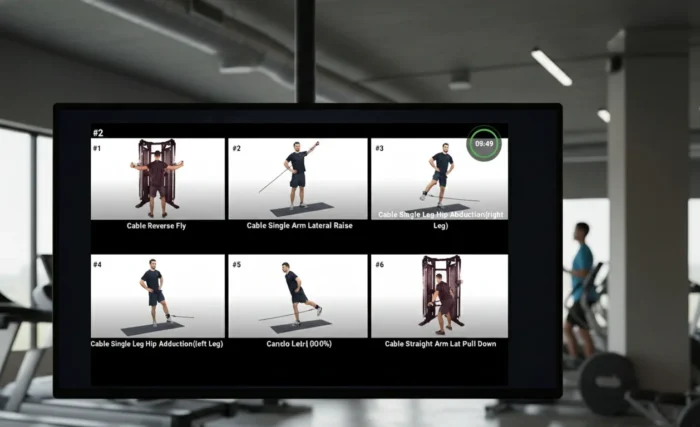
Multi screen scheduling allows gyms to assign different content to different zones. For example, strength training might run on one side while cardio intervals run on another.
Here is how that typically plays out in real environments:
- A large central screen shows the overall class structure
- Side screens display station specific instructions
- Smaller displays track timers or rest periods
- Additional screens highlight technique videos or demos
This setup reduces chaos. Members do not crowd around one display, and trainers do not waste time repeating instructions.
The result is a smoother flow where people spend more time training and less time figuring out what comes next.
Why playback control is just as important as scheduling
Scheduling gets a lot of attention, but playback control is where the real flexibility comes in. It determines how content actually appears and behaves during a session.
Playback features allow trainers to loop workouts, pause sessions, or adjust timing on the fly. Some systems even support layered visuals, like combining timers with exercise videos.
A useful way to think about playback is through control levels:
- Basic playback includes start, stop, and loop functions
- Advanced playback allows variable speed or timed transitions
- Real time control lets trainers adjust sessions instantly based on group pace
Even small delays or mismatches can disrupt a session, so reliable playback control is not optional. It is foundational.
Key features to look for in multi screen workout software
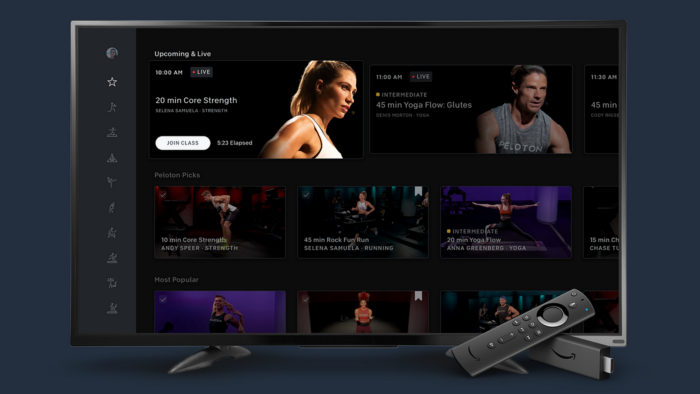
Not all workout TV display software is built the same. Some focus heavily on visuals, while others prioritize scheduling or integration.
If you are evaluating options, these features tend to make the biggest difference:
- Cloud based control that allows updates from anywhere
- Zone management so different screens show different content
- Playlist style scheduling for automated class transitions
- Real time editing during sessions without system lag
- Compatibility with different screen types and sizes
Below is a quick comparison of how these features impact daily use:
| Feature | Why it matters | Real world benefit |
| Multi screen zoning | Separates training areas | Reduces confusion in group workouts |
| Scheduling automation | Pre plans sessions | Saves time for trainers |
| Playback control | Adjusts timing live | Keeps sessions flexible |
| Cloud management | Remote updates | Easier scaling across locations |
When these elements come together, the system feels less like a tool and more like an extension of the coaching process.
The role of digital signage in fitness environments
Workout display software is part of a broader category known as digital signage. This technology is widely used across industries, but fitness spaces use it in a very specific way.
In gyms, digital signage is not just about showing content. It is about guiding behavior and improving flow. Screens can display workouts, announcements, and even performance metrics all at once.
A typical setup might include:
- Workout instructions during classes
- Promotional content between sessions
- Member achievements or leaderboards
- Class schedules and upcoming events
This combination keeps members engaged while also improving communication inside the facility.
What makes fitness environments unique is the need for constant motion. Content has to be clear, visible from a distance, and easy to follow without stopping.
Common mistakes when setting up multi screen systems
Even with great software, poor setup can limit the benefits. Many gyms invest in screens but do not fully optimize how they are used.
Some common issues include:
- Placing screens where they are hard to see during movement
- Overloading displays with too much information
- Failing to separate content by training zones
- Not testing playback synchronization before classes
A better approach focuses on clarity first. Each screen should have a specific purpose, whether it is guiding exercises, tracking time, or reinforcing technique.
That evolution explains why modern software feels intuitive even in complex setups.
Choosing the right solution
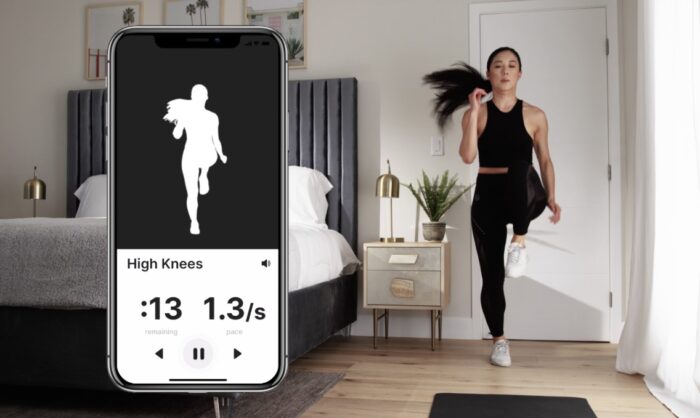
Workout TV display software has moved from a nice to have feature to a core part of modern training environments. Multi screen scheduling and playback are not just technical upgrades. They directly impact how smoothly a session runs.
The biggest difference comes down to experience. When screens are used well, members know what to do without asking. Coaches focus on performance instead of logistics. The space feels organized without feeling rigid.
Choosing the right system is less about flashy features and more about how naturally it fits into your workflow. If it reduces friction and keeps everyone aligned, it is doing its job.
That is ultimately what this technology is about. Not just displaying workouts, but shaping better training experiences from the ground up.